01Reviewer + Sorter
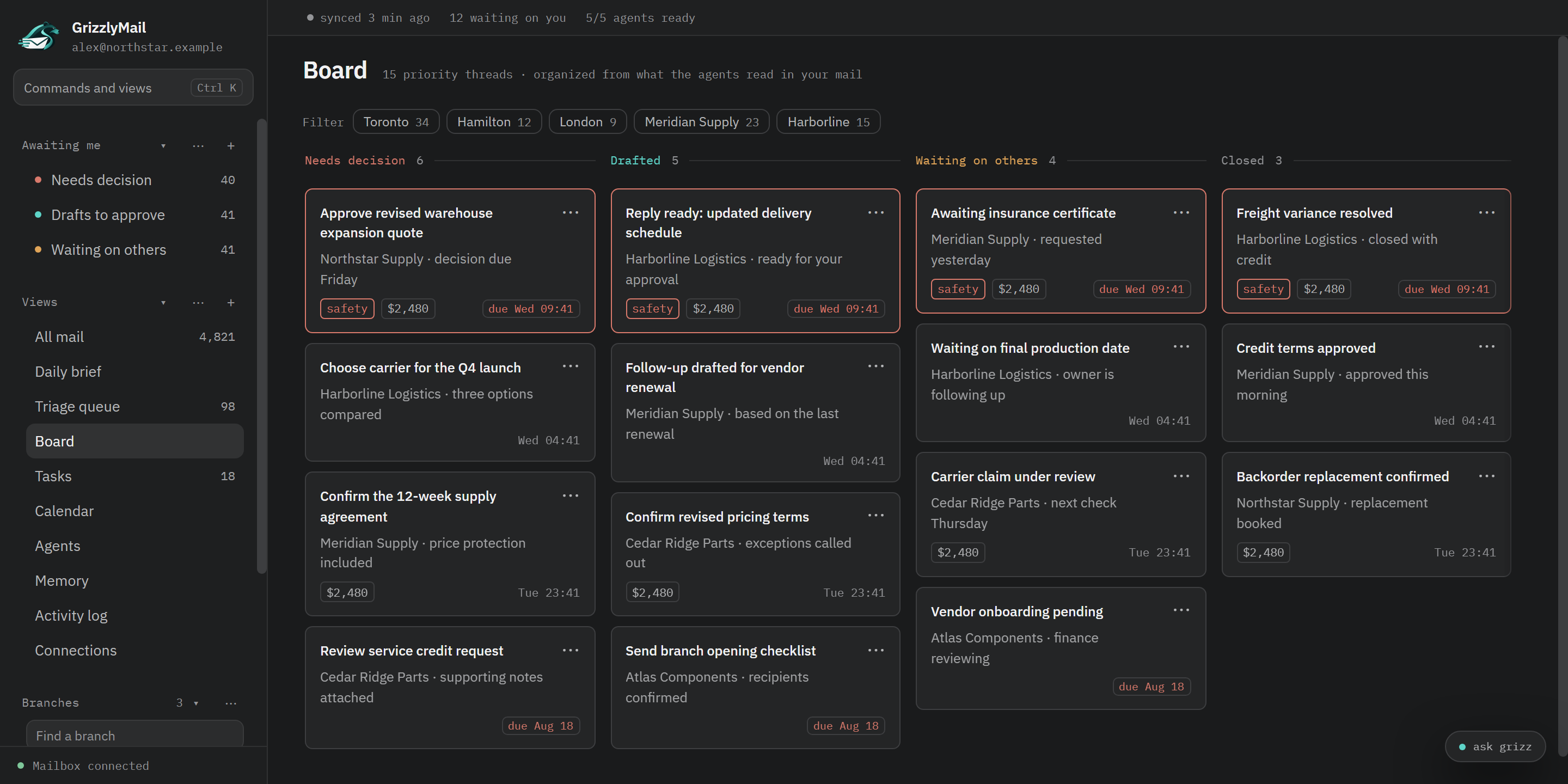
Triage what matters
Urgent decisions, replies, and handoffs rise above the noise with the reason attached.
 GrizzlyMail
Local-first email intelligence
GrizzlyMail triages, drafts, chases, and learns your judgment—without moving mail or sending behind your back.
macOS + Windows 11 · Outlook support · Gmail in private testing
Mail stays put. GrizzlyMail layers judgment on top of your mailbox.
Drafts stay drafts. Sending always takes a separate confirmation.
Your desk, your context. The local store is encrypted on your PC.
A working desk, not another inbox
GrizzlyMail turns threads into a reviewable operating picture: what needs a decision, who owes the next move, and what is ready to send.
Urgent decisions, replies, and handoffs rise above the noise with the reason attached.
Reply drafts use the thread, your prior decisions, and the writing patterns you have already established.
Waiting threads become clear follow-ups before the promise, quote, or answer quietly disappears.
Corrections become durable preferences so the desk gets more useful without becoming more autonomous.
How it works
Every agent action is surfaced for review. The app helps carry the work; it does not quietly take control of your mailbox.
Inbox, sent mail, and archive are mirrored into an encrypted store on your PC.
Agents build a working view of decisions, ownership, urgency, and open promises.
GrizzlyMail creates reviewable classifications, tasks, follow-ups, and drafts.
Nothing sends until you review the draft and make a separate, deliberate confirmation.
Designed for restraint
Mail is mirrored into an encrypted database on your computer. When an agent runs, the context needed for that task is sent to the AI provider you connected. GrizzlyMail never auto-sends.
Encrypted locallyYour working store is protected by the operating system keychain.
No mailbox reshufflingYour messages stay where Outlook or Gmail put them.
Approval before sendingA draft and a send are always two different decisions.
One active mailboxThe desk stays focused on one connected account at a time.
Public beta
Install GrizzlyMail for macOS or Windows, connect Outlook and Codex, then let the first sync build your working desk.
Free beta download. Your own email and AI provider accounts are required; their charges and terms apply. AI tasks send email context to your connected provider. Read the privacy notice and beta terms before connecting a mailbox.
macOS
Both installers are Developer ID signed and Apple-notarized. Choose Apple Silicon for an M-series Mac, or Intel for an older Intel-based Mac.
macOS · Signed · Apple-notarized
Checksums and release notesWindows
Install the x64 build on Windows 11. GrizzlyMail checks the existing release channel for user-approved updates.
Windows 11 · x64 · User-approved updates
Before you begin